Definitions, derivations, notes, and long tables start folded.
Chapter 9Codes and pages
A code is a picture that stands for bytes. A page is a picture that stands for words. This chapter is about Splashes that are, in the end, flat: QR codes and other barcodes, the pages of a PDF, a photo, a GIF, and a link. They are made of splats too, and they show a point that Chapters 1 to 5 made in passing: a flat thing made of splats is only useful if every splat stays where the picture needs it. A QR code that scans only some of the time is not a QR code. So the Splashes here check their own work.
QR codes
What it is. A QR code is a square grid of dark and light cells (modules) that holds a few hundred bytes of text, plus extra data that lets a reader rebuild the text if some cells are damaged. The three big squares in the corners (finder patterns) let a camera find and orient it, and a blank border (the quiet zone) four modules wide keeps the picture from running into whatever is around it.
How Splashery does it. The QR Code Splash makes a code from a link, plain text, a Wi-Fi network, a contact card, an email, a phone number, a text message, or a map location, and draws it as splats in one of seven styles (Classic, Dots, Rounded, Bricks, Gems, Bubbles, Neon) on a plate of paper, wood, or metal, or on none. The encoding itself is done by Project Nayuki's QR Code generator [20], a small MIT-licensed library that is vendored and loaded only when the Splash opens. Splashery asks it for a code and then marks which modules belong to the finder patterns, to the alignment patterns, and to the rest, so each can be built and moved as a piece of its own. A tap knocks the modules around your finger loose (Knock loose), and they tumble and land exactly on their grid again; the Splash sheet has eight more motions (Assemble, Flip, Burst and return, Ripple, Split-flap, Fold, Rain, and Point cloud) and an "alive" color wave. A knocked module never goes behind its place, so the light sheet behind the code never covers it as it lands. Each module moves as a solid tile, and the alive hue waves keep the gray values a reader sees unchanged (the electric patterns brighten dark modules by a bounded amount), so every frame of it still scans.
It checks itself. Scan view draws the code flat and square to the camera, off screen,
from a camera at the code's face, and after every change the Splash reads that picture back.
The visible camera does not turn and the stage is never covered for a scan, so nothing
flashes and no bars go missing. The scan's view fits the whole stage, not only the band
above an open sheet, so an open sheet does not make the code small in the picture. The
reader is the browser's own BarcodeDetector when it reads QR codes, and
otherwise the vendored jsQR library (Apache-2.0), loaded the first time a check runs. The
result, "It scans," means that one reader read that one drawing, not that every phone camera
will; the text beside it says so. Nothing leaves the device: no shortener, no network.
Error correction. A QR code carries extra codewords (a codeword is 8 modules) made with a Reed–Solomon code [19]. There are four levels, L, M, Q, and H, which can lose about 7, 15, 25, and 30 percent of the codewords and still scan. That percentage counts codewords, not squares, and the code is cut into blocks that are corrected separately, so damage to the three finder squares, or damage spread over many blocks, can defeat a code that has lost far less than its limit. The Splash uses level M by default.
Why these numbers? Contrast, module size, and level M
Our choice, measured The QR standard sets the codes; the limits for splat styles are Splashery's own.
A splat is not a printed square: it is a soft blob, and the blobs of two cells blend a little at their edges. So Splashery measured how much a code can take. A measurement made 3,768 pictures of the Splash's codes the way a phone sees them, and read each with two different readers (jsQR and ZXing). Every style read 100 percent of the time at levels L and M. Contrast was reliable from 4 to 1 (a gray code at 4.0 to 1 read 96 to 98 percent of the time) and poor below 3 to 1. A module needs at least 4 pixels on screen, and 6 for the "depth" styles (Bricks, Gems, and Neon). A depth style at version 8 or more (a long text) dropped sharply, to 77 percent for a long text. Light-on-dark codes read on most phone cameras but not on some scanner apps. The Splash turns these into a warning and a default; a measured limit is only as good as the readers it was measured with.
Where it lives: the comment and constants at the top of
src/packs/qr.js (eccFor, minContrast,
MIN_MODULE_PX).
Secrets. A Wi-Fi password is never in the Splash's options, so never in a shared link or a saved scene: it lives in the page's memory while the page is open.
Round codes. Shape turns a code into a circle. With a circle, Frame has two choices. None: filled to the edge, the default, fills the circle with code-like modules out to the code's edge, the way round codes are printed, and leaves a light ring around each eye so a reader still finds it. White square keeps the code on a white square. A link or a saved scene that puts a code on a circle without naming a frame opens filled too. The code is made to scan either way, and the Splash checks it as it does a square one.
Turned codes. A code stays as dark when you turn it. The layers behind the modules (QR Code's sheet, its underlay, and the back and sides of its paper) are sorted as if they lay 20 times as far behind the modules as they are drawn, so no light layer is sorted in front of a dark module as the view turns. Picture QR's dark splats are sorted a little in front of its light ones in the same way.
The Splash sheet. QR Code's sheet is laid out for a phone. What the code holds, Make the code, and the verdict come first; then Style, Color themes, Alive colors, and Scan and save, each under a heading with its note below it. Every label sits to the left of its control, each color theme shows a swatch of its two colors, and the controls are 44 CSS pixels tall.
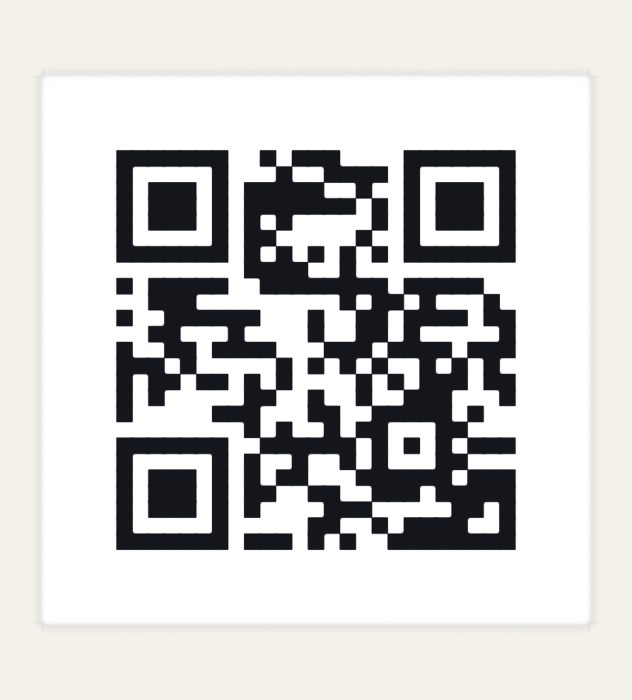
The QR Code Splash
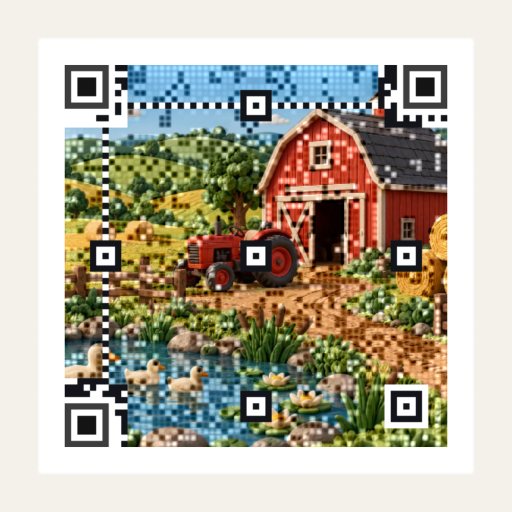
A picture woven into a code
More QR Splashes, and other barcodes
- QR Explained lights up each part of a real code, or steps through encoding your own text, from the mode bits to the chosen mask.
- The QR Damage Lab lets you scratch a code, stick a label on it, tear or burn a corner, smudge it, or damage its splats (blur, shrink, grow, jitter, fade, drift the colors, curve, tilt, move). A meter reads the very picture on the stage after each change, and counts, block by block, the codewords lost against the ones error correction can fix. Heal it shows the code as a reader read it and lets Reed–Solomon decoding set it right, block by block, until it scans again.
- Triple QR puts three QR codes in the red, green, and blue of one square, which Splashery's reader splits apart.
-
Picture QR weaves a photo into a code. The center of each module keeps its bit, and
Picture detail sets how the rest of the code carries the picture, in three looks.
Dots makes it a halftone: the rest of each module carries the picture as dark and
light dots by error diffusion, nudged only where a module would misread.
Clear picture keeps the picture as it is, drawn at 7 cells a module each way, and
darkens or lightens a soft square on each module whose picture fights its bit, keeping the
cell's hue. Clear picture, small dots does the same with a small dot at the
module's center instead of a square. Finder eyes, timing lines, and format information
stay clear in every look. The Splash measures the contrast and reads the code back with
jsQR at phone size and smaller; a size jsQR misses is read again a quarter pixel a module
smaller and larger, and passes when both read. It offers the closest version that scans
when one does not. Fit your picture is on the main path, under the picture, and
opens when you open your own picture: its preview shows the code's shape over the picture,
with the circle or the square outlined and the picture around it dimmed, and two fingers
or the wheel zoom it. It works for every picture, the samples too: a sample opens at the
fit that draws its own crop, and Reset crop goes back to it. Picture QR keeps each
picture's fit and crop for the visit, so picking a picture again brings back the ones it
was last made with. A picture fills the circle when Shape turns to Circle, and fits the
square code again on Square. On a Circle, Frame sets what lies around the code, in
every look: Feather, the default, carries the picture out to the circle's edge,
lightened toward white over the 4 modules past the code and around each eye;
Continuous carries the code's own pattern on across the picture to the edge; and
White square keeps a plain white border around the code, which readers find most
easily. Save as writes a PNG at 1,024, 2,048, or 4,096 pixels (or the largest the
device allows) or an SVG, drawn from the code itself so its edges stay sharp, and reads
each file back before it is saved.
Picture QR opens at Clear picture, and Picture detail lists Clear picture, Clear picture, small dots, and Dots, in that order. A link or scene that names no Picture detail opens at Clear picture too. Nothing sits on the code: it opens in the room left of the stage's buttons, smaller where it is wider than that room; the words shown while a new code is made and checked are in the status ring beside the pill; and a message that would lie on it goes below it, else above. QR Code's code keeps clear the same way.
- QR Mosaic builds a code from dominoes that topple into place, marbles that roll into their modules, or tiles that flip over, and ends on a code that scans.
- Other Barcodes draws Code 128, EAN-13, and UPC-A with Splashery's own code (check digits and quiet zones included), and Data Matrix and Aztec with ZXing for JavaScript, a vendored library loaded only when the Splash opens. A tap sweeps a scanner's red line across, and each bar lifts as it passes.
- Video QR plays a clip behind a QR code that scans on every frame. The clip is one of seven samples (the first is six seconds of "Big Buck Bunny", © Blender Foundation, CC BY 3.0) or your own video or GIF, of any size, which stays on your device. It is cropped square and sampled at 10 to 30 frames a second, for 2 seconds up to the whole clip. The first frame is woven the way Picture QR weaves a photo. In Dots, the default, every other frame is woven from the same seed on four background workers, so the modules never move: only their colors change. In Clear picture and its small dots, each frame is woven in a code fitted to that frame. A frame that does not read is woven again with more margin. Fit your clip crops the clip, and each clip keeps its own crop for the visit: a clip picked again opens at the crop it was last made with, or else at its middle square, which Reset crop goes back to. A tap pauses and plays it, and the clip's own sound plays through the site's speaker. Pausing reads the frame on show and says "It scans." "Video QR", below, has its samples, its settings, and its player.
All of these are on the Studio shelf and behind the labs switch.
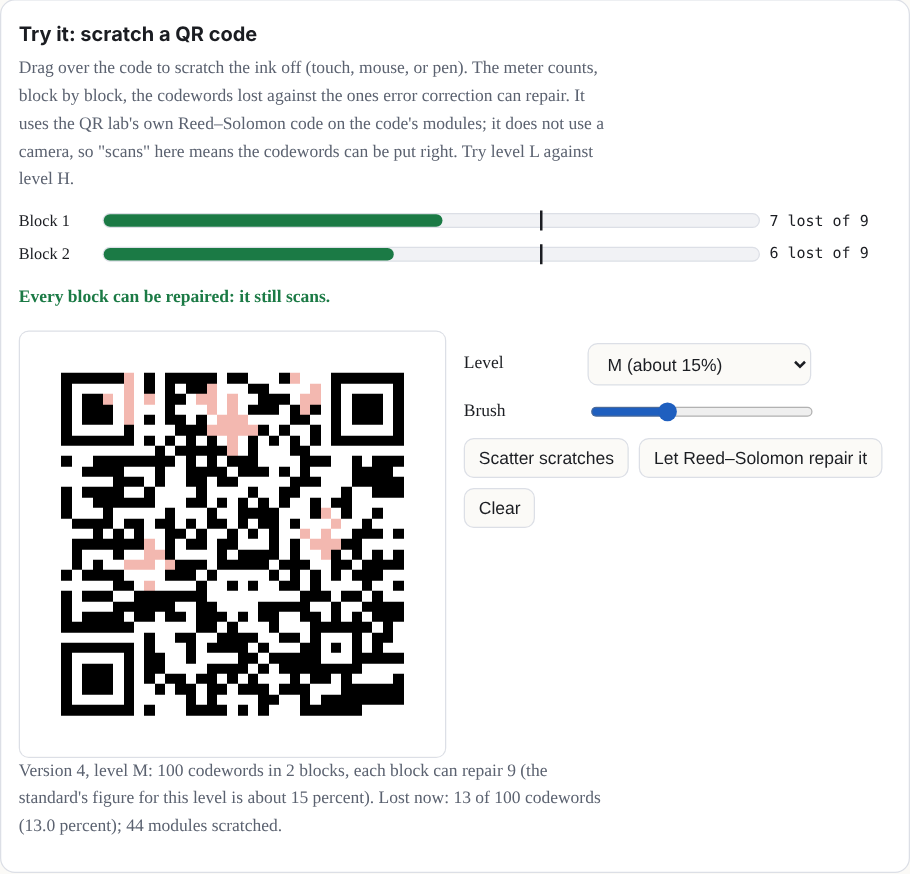
Try it: scratch a QR code
Drag over the code to scratch the ink off (touch, mouse, or pen). The meter counts, block by block, the codewords lost against the ones error correction can repair. It uses the QR Damage Lab's own Reed–Solomon code on the code's modules; it does not use a camera, so "scans" here means the codewords can be put right. Try level L against level H.
Video QR
The clips. The Clip menu has seven samples, each about six seconds cut from a longer film and cropped square: Big Buck Bunny and Sintel, the close-up (Blender Foundation, CC BY 3.0), Saturn V launch (NASA, public domain in the United States), A Trip to the Moon (Georges Méliès, 1902, public domain), Artemis II lifts off (NASA/Sam Lott, public domain in the United States), Kīlauea lava fountain (H. Winslow and M. Patrick, USGS, public domain), and Rozi the cheetah (CC0 1.0). Big Buck Bunny comes first. Big Buck Bunny, Sintel, and Saturn V play their own sound; the other four have none, and the Sound button says "No sound (this clip)", as it says "No sound (a GIF)" for a GIF. Your own video or GIF can be any size. A video is read where it is, a frame at a time, each frame drawn at 256 pixels a side, and a GIF is read as a stream, so only the frames the clip plays are kept.
Rate and length. Frames a second offers 10, 12, 15, 20, 24, and 30, and opens at 12. Length offers 2, 4, 6, 15, 30, and 60 seconds, and Full. The samples open at 4 seconds (Full plays a sample's six), and your own clip opens at Full. A frame costs the same at any rate, so a higher rate takes longer to make and more memory: 30 a second costs 2.5 times what 12 does. The samples are 24 frames a second, so at 30 every fourth frame repeats. A clip keeps at most 24 MB of frames for each gigabyte of the device's memory, from 64 to 192 MB. A longer clip plays its first part, and the Splash sheet says so with its numbers: "This device keeps up to 192 MB of frames (a phone's browser closes a tab that takes too much memory). That is room for 1 min 7 s at 30 frames a second, so it plays the first 1 min 7 s of 1 min 48 s. At 15 a second it fits all 1 min 48 s." A change of rate or length keeps the frames already made wherever they fall on the new frames' times, so those are not made again.
Picture detail. Video QR has Picture QR's Picture detail and Error correction, which opens at H (30%). Picture detail opens at Dots, listed first, then Clear picture and Clear picture, small dots. On a moving picture, Clear picture keeps only a few patches clear, where Picture QR keeps most of a still picture clear, so Dots is the default. In every look, the cells that carry no bit take the clip's own colors. Dots weaves every frame at a margin of 0.06, the lowest that read every frame of the sample on the readers tested, and Contrast raises it from there. In Clear picture and its small dots, each frame is woven in a code fitted to that frame: the mask that suits it and padding bits that follow it, as Picture QR fits a still picture, so the code agrees with the frame wherever it is free to, at a margin from 0.1. A clip whose first frame does not read in Clear picture is woven in Dots, and the Splash sheet says so. Clear picture and its small dots are drawn smooth, so the clip is not a grid of hard squares and a module the weave darkened or lightened is a soft patch; Dots keeps its hard cells, so its dots stay crisp.
Speed. Clear picture spends 0.4 of the error correction on the picture by default, on the modules where the frame and the code still disagree, as Picture QR's Clear picture does; a frame that does not read is woven again at 0.3, 0.2, and then none, before its margin goes up. Speed, shown for Clear picture, offers Clearer picture, the default, and Quicker frames, a little less clear, which spends none. Clear picture, small dots spends none.
Round codes. Shape: Circle draws QR Code's and Picture QR's circle, with the code in the middle and the clip filling the rest of the circle, playing with it. Every frame of a circle is woven from the code's own crop. In Dots it takes the first frame's mask, version, and margin, as a square's frames do, so the modules never move here either; in Clear picture and its small dots it is fitted to its frame, as a square's are. The clip in the code meets the clip around it. On a Circle, Frame has three choices. Feather: the clip fades in, the default, lightens the clip toward white near the code's edge, over 4 modules. Continuous: dots to the edge carries the code's dots on to the circle's edge in the circle's own pattern. White square keeps the code and its quiet zone on a white square. Without the white square the circle hugs the code, the clip runs on around it to the circle's edge, and a light ring 2 modules wide keeps each eye clear.
Video QR's player. The clip's first frame is read and woven before the rest, which are made while it plays; until it shows, the status ring beside the pill says "Reading the clip" and then "Making the frames". The clip then plays as a video player buffers. It measures how fast frames are being made, holds on the first frame until the frames left will be ready before playing reaches them, and then plays through. If it reaches a frame not yet made, it holds there again, more warily each time. The ring fills as frames are made, and its card says how far it has come ("300 of 2,003 frames made"). While the clip holds, the card says, for example, "300 of 2,003 frames made. It plays when enough are made, in about 25 s.", and while it plays, "It plays now; the rest are made as it plays." A change to Frames a second, Length, the text, the crop, the contrast, or the size fades the code while the ring says "Making the frames", until the new clip's first frame shows.
The stage has a time slider with the clip's place and length, and the Splash sheet has Pause (or Play), Restart, and the same slider with the time. While frames are still being made, the sliders reach only as far as the frames made in order, and a seek past them holds there until enough are made. A tap on the stage pauses and plays, and the stage's pill says Playing or Paused. These words and controls stay off the code: the code opens in the room left of the stage's buttons, smaller where it is wider than that room; the words are in the status ring's card; and the pill, the ring, and the time slider step off the stage where they would lie on the code.
Sound. The clip's sound is read once into a buffer as the clip opens and played on the site's sound in step with the clip, so a tap pauses the clip and its sound together, and the next tap plays both on from the same time. A browser starts a page's sound only after its first touch, tap, or key, so a clip opened from a link plays with its sound waiting: until that touch, the stage's pill says "Tap for sound" with a speaker. The touch, anywhere on the page, starts the sound in step, and a tap on the stage or the pill then does nothing else; it does not pause the clip. Opened from the shelf, after a touch, the sound starts with the clip and no pill shows. A file over 40 MB plays its sound from an audio element instead.
Pages, PDFs, and GIFs
What it is. Chapter 5 showed how a recipe places a sheet, a flat place where a picture shows, and how it turns a page. This section is about what the site does behind a sheet.
How Splashery does it. A PDF is drawn page by page by PDF.js [22], vendored and loaded only when someone opens a PDF. A worker turns each page's pixels into splats. Pages stream through a few sheets, so a 200-page book costs the same as its open pages, and a small cache keeps the pages next to the open ones ready. Each sheet is built at about one picture pixel per screen pixel for how big it shows now, on a ladder of widths a square root of two apart, within the device's budget, and is rebuilt when the view comes much closer or goes much further away: so a page you zoom into gets sharper, and a page you leave is freed. A GIF (decoded by omggif, vendored and loaded only for a GIF) or a video is a screen sheet: the splats are built once and take their colors from the sheet's own texture, which each new frame uploads. A PDF's words are available from its text layer, for reading, selecting, copying, and finding, and a link in a PDF is tinted on the page; a link opens only after the site asks you.
The Splashes on top are Picture Lab, Splash Book (a PDF as a book whose pages turn like paper, and wait until the next page is ready), Photo Album, Picture Frame, and Screen. They are behind the labs switch.
Splash Book opens with its cover picture while its PDF downloads (its sample is this Manual, and the cover is a drawing of the Manual's first page), and a tap on the cover waits for the PDF. The Storybook, open to everyone, is Splash Book exactly, with the Storybook's own PDF, and its drawings are figures for Pop out. The Picture Frame dims its photo between pictures and waits at black until the next photo shows.
A tap on the cover while Splash Book's PDF is on its way turns the status ring beside the pill, and its card says "Opening the book…", with Stop, which drops the turn. A PDF you open shows "Opening" and the file's name there while it is read.
Turning fast. In Splash Book and the Storybook, a tap or a drag during a page flip lands that flip at once and turns the next leaf from there. A turn begun within a second of the last takes 1.8 times the gap between them, from 0.28 seconds at the quickest, where a turn on its own takes 0.95 seconds. A tap turns at once, without waiting to see whether a second tap follows, so a double-tap turns two leaves; the page view button and a pinch frame a page. A drag during a turn turns the page, not the whole book. Seen a page at a time, a tap turns by the side of the screen it lands on, and a swipe turns on or back from either page. The Photo Album keeps its own turns.
Splats. Splash Book and the Storybook open at 130,000 splats at Mid, High, and Max. The pages are faces drawn apart from the splats, so the count reaches only the covers, the page blocks, and the spine. For the same reason a page turn moves none of the book's splats: the stage takes no depth pass while a page turns, and only a view that turns sorts the book again. The Photo Album, whose cards are splats on its leaves, keeps its depth passes while they turn.
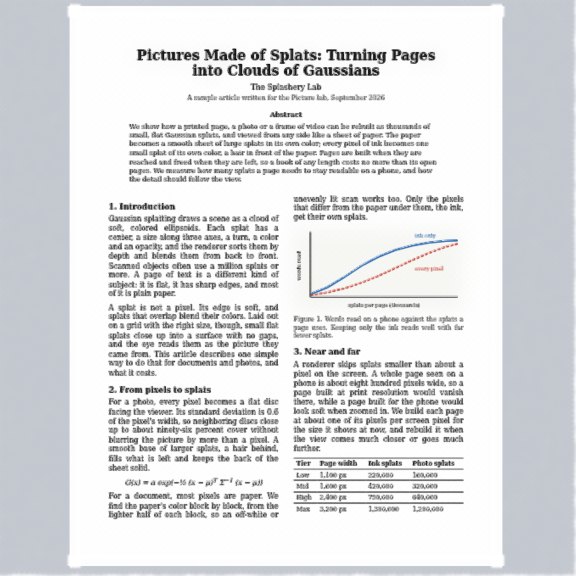
A PDF page, drawn with splats
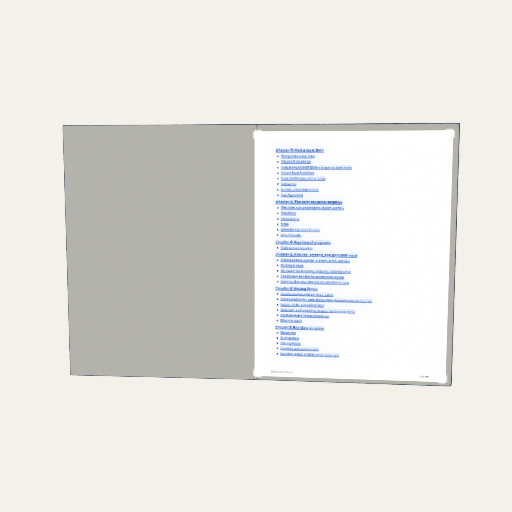
Splash Book
Save PDF goes the other way: from a Splash to a page. In the Share tab of the More sheet, it writes a PDF of the Splash (a still, a link, and a QR code of the link), and, if you choose, a second page with a recording of one tap as a flip book, in which each frame is a hidden button whose look is the picture and the PDF's own JavaScript shows one at a time. A viewer without PDF JavaScript shows the first frame. The file is written by pdf-lib (MIT), loaded only when you export, and is saved to a file you choose.
A Wikipedia book. The rules in Chapter 7 allow a Splash that fetches a Wikipedia article when the reader asks for it (its text is CC BY-SA, never stored in the repository, shipped with the site, or saved in a scene, and its credit shows beside it). Such a Splash is planned. It is not built yet.
Share links
What it is. A Splashery link is not an address that points at your scene; it is your
scene. It carries the Splash's options, the look, the camera, and any paint, written into
the web address after the #, which a browser never sends to a server. The scene
is JSON, compressed with raw deflate (a d. link; a browser that cannot compress
writes an uncompressed j. link instead) and written with the 64 letters,
digits, -, and _ that are safe in an address. A Splash at its
defaults is a link of about 220 characters, and paint and clay make it longer. A link
carries settings, not files: a photo or a splat file from your device has to be
opened again by whoever opens the link.
Where it goes next. A link is text, so it can be a QR code. The share links chapter takes one apart, lets you break one, and counts how many characters a code can hold. Here, notice what codes and pages have in common with links: they all put a lot of meaning in a small, exact picture.
Where to try it
- QR Code, QR Explained, QR Damage Lab, Triple QR, Picture QR, QR Mosaic, and Other Barcodes (all labs). Video QR (labs) plays a clip behind a code that scans on every frame.
- Picture Lab, Splash Book, Photo Album, and Screen (labs). Storybook is open to everyone.